
By:
A few days ago I played a game called Taskbar Hero. It’s a small idle RPG that lives in your Windows taskbar and fights battles in the background while you work.
My first thought wasn’t “I wish I had this.” It was: I have every skill needed to build my own version of this — and actually put a story in it.
That’s the part that matters. I don’t just want to clone a taskbar idle game. I’ve wanted an excuse to design a real cast of original characters — build their personalities, their designs, their world — for a long time. Illustration alone gives me static art. Writing alone gives me a story nobody plays through. A game is the one format where character design, art, systems, and narrative all have to work together. It’s the only medium that uses everything I know how to do at once.
So the weekend prototype turned into a real project, and I’m documenting the whole thing here.
Why I’m Building in Public
I studied Computer Science before I ever took illustration seriously — my first job was as a web developer, and my first paycheck went toward a Wacom Intuos Pro, not a game engine. Most of what I learned about both code and art came from picking apart other people’s work: reading open-source repos to see how real systems are organized, and studying finished pieces to understand how they were built.
I want this project to be that kind of resource for someone else. Every major feature gets committed to GitHub — architecture decisions, working code, the mistakes included. If you’re an artist curious about how a game actually gets built under the hood, or a programmer who wants to see a solo project’s code evolve in real time, you’ll be able to watch it happen instead of just reading about it after the fact.
One Person, Every Department
There’s no team here. Everything runs through me:
- Character concept art and monster design
- Sprite creation and animation
- UI and combat systems
- Inventory, equipment, and game balance
- Programming, testing, documentation
That’s a lot to carry alone, but it’s also the entire point. The reason I wanted to make a game instead of just drawing the characters is that a game is where design, code, and story stop being separate hobbies and become one thing. Every feature I ship teaches me something about at least two of my own skill sets at once.
Why Pixel Art
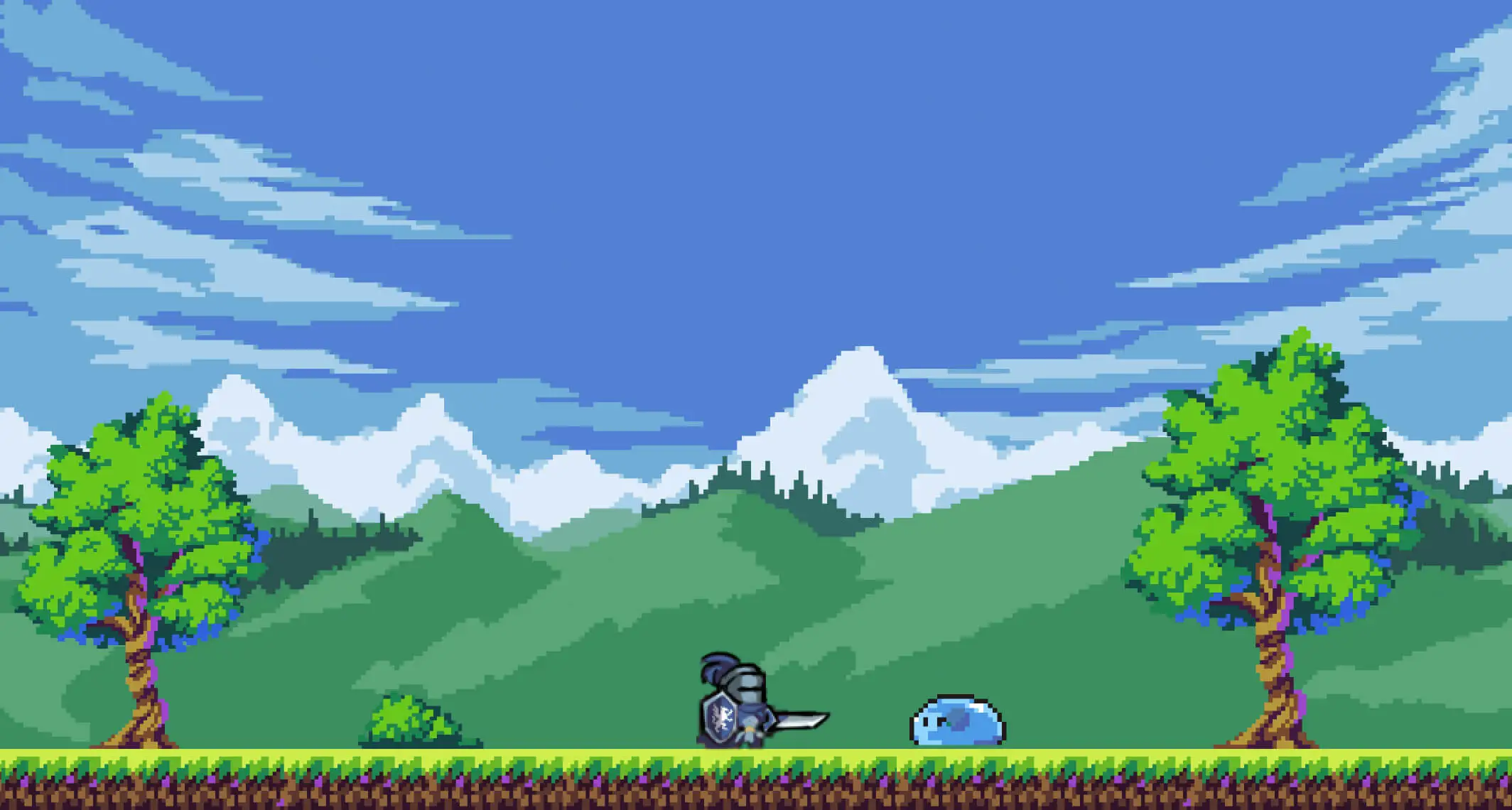
The visual direction was one of the first real decisions, and I landed on pixel art for the whole project.
It fits an RPG that has to live comfortably at taskbar size — pixel art reads clearly even when the entire game window is 360 pixels wide. It also has a timeless quality that suits original characters I want people to actually remember, not just glance past.
And honestly, it’s a chance to grow as an artist in a direction I haven’t pushed hard on before. Every hero, monster, weapon, and environment tile is being built from nothing, at a scale where every pixel is a decision. As I go, I’ll be sharing the actual workflow behind each character — sketches, palette choices, animation frames, the works — so the art side of this series will be just as documented as the code side.
Where the Project Actually Stands
The gameplay loop is already functional, not just planned. Right now the prototype has:
- Automatic combat with formation-based multi-enemy waves
- Experience, leveling, and stage progression, including boss stages
- Loot with rarity tiers, plus equipment and inventory
- Offline progress and a full save/load system
- Recruitable heroes, floating damage numbers, health bars
- Sound effects, projectile attacks, and a scrolling parallax background
Most of what’s in the game right now is placeholder art. The systems work — the world doesn’t look like anything yet. That’s the next phase.
The Roadmap
Phase 1 — MVP Polish. Most core systems are done. What’s left is tightening melee feedback and getting proper walk and attack animations in, so the loop feels good before I spend months on art.
Phase 2 — Original Art. Every placeholder gets replaced with real character and monster designs, animated sprites, equipment icons, UI, and environment art — with the sketch-to-finished breakdowns published as I go.
Phase 3 — Expanding the World. New hero classes, equipment sets, tougher bosses, crafting, and the actual lore and backstories behind the cast. I’m holding off on volume here on purpose — a consistent visual language first makes everything after it faster.
Phase 4 — Long-Term Progression. Prestige systems, upgrade trees, achievements, pets, item synthesis — the layers that make an idle game worth returning to.
Phase 5 and beyond. Quality-of-life passes, packaging, and eventually a decision on whether this goes to itch.io, Steam, or stays an open-source project people can learn from.
What This Series Will Cover
This isn’t only going to be feature updates. I want to document the actual process — designing characters that hold up, giving monsters personality instead of just stats, structuring a solo project so it doesn’t collapse under its own scope, and the pixel art workflow behind each asset. I’ll cover what worked and what I had to redo.
If you want to watch an original game get built end to end — code, characters, and art — from someone doing every part of it themselves, follow along and check the repo as it grows.
This started with a simple thought after playing someone else’s game: I could build my own world instead. I’m curious to see where it ends up.
Github link: https://github.com/blueflaw/taskbar-hero
Discover More Posts
Keep exploring stories, insights, and creative notes from my journey as an artist. Check out the latest blog entries and find topics that inspire your own process.
5 Hidden Art Career Killers That Stop Most Artists Before They Even Start — And How to Beat Them
Learn to draw anime-style clouds with this easy, step-by-step cloud tutorial. You’ll pick up tips on shapes, color, and composition—plus get free cloud brushes to use in your own art.

Sketching vs. Drawing: 5 Powerful Insights Every Artist Should Know
Learn the key differences between sketching and drawing—how detail, speed, tools, and intent separate the two and when to use each in your art practice.
How to Find Your Art Style in 3 Simple Steps
Learn how to find your unique art style through a clear three-step process. Discover how to collect inspiration, analyze your influences, and build your own signature look with deliberate practice.