
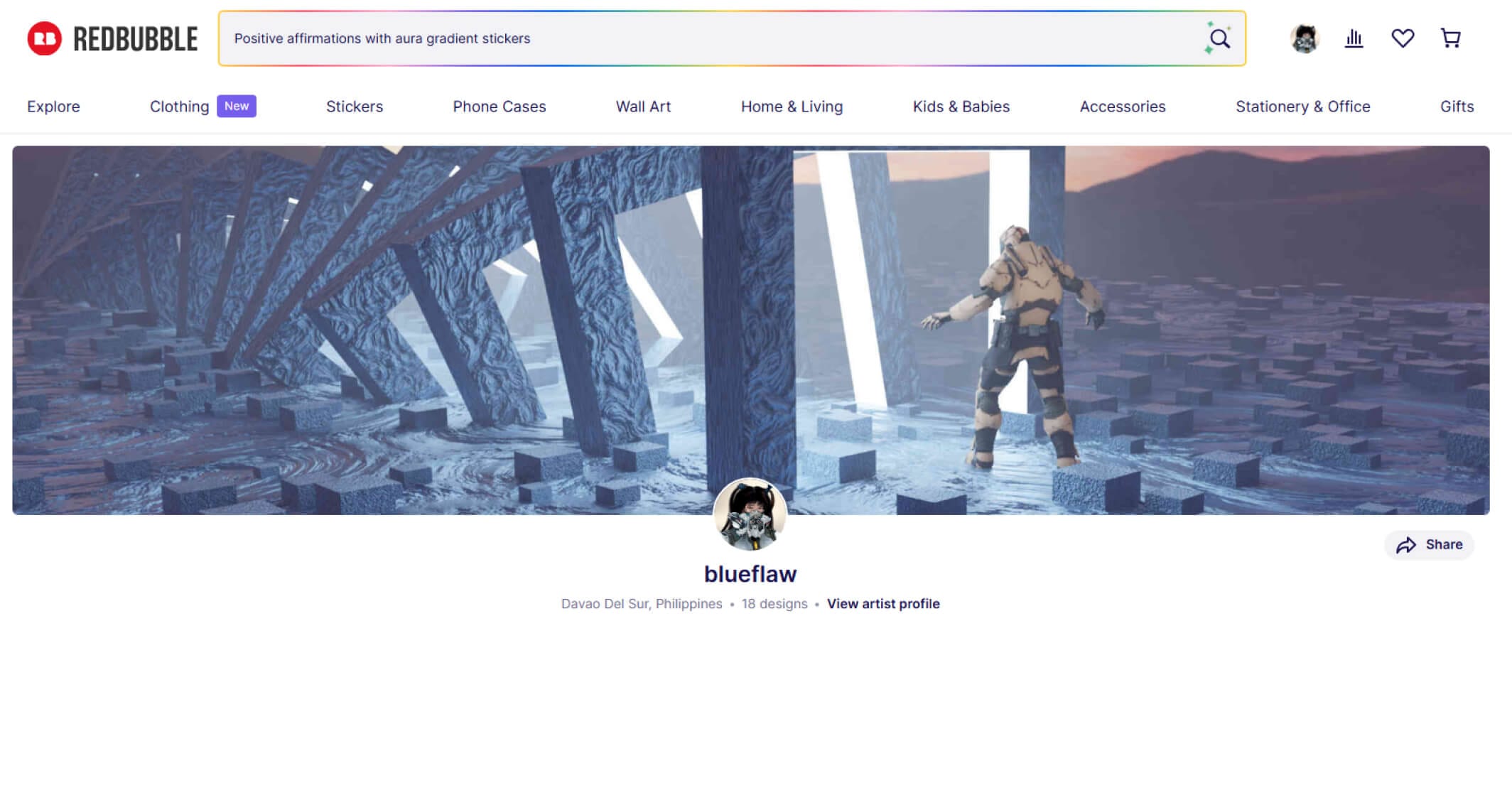
Redbubble looks like a dream when you first hear about it. Upload your art, let a global platform put it on t-shirts, stickers, phone cases, and mugs, sit back and collect passive income. No inventory. No shipping. No customer service. Just your art doing the work while you draw more.
The reality is more complicated — and in 2025, it got significantly more complicated. Redbubble rolled out a new account tier and fee structure in September 2025 that caught a lot of artists off guard and changed the economics of the platform substantially. If you’re reading a review of Redbubble from before that date, you’re not getting the full picture.
This guide gives you the honest, current picture: how Redbubble actually works, what the new fee structure means for your earnings, who it’s genuinely worth using for, who should look elsewhere, and how to maximize results if you do decide to use it. I’ll also compare it honestly to the main alternatives.
📌 Quick answer:
Redbubble is worth using as a
supplementary passive income stream
for artists with an existing audience and a good volume of designs. It is
not
a reliable primary income source, and the 2025 fee changes make it significantly less profitable for lower-volume artists than it used to be.
Part 1 — What Redbubble Actually Is
Redbubble is a print-on-demand (POD) marketplace founded in 2006 in Melbourne, Australia. It’s now owned by Articore Group and operates globally. The model is simple: you upload your artwork, Redbubble places it on products, customers buy those products, Redbubble prints and ships everything, and you receive a percentage of each sale.
As of 2026, Redbubble has over 650,000 artists on the platform selling designs to approximately 5 million customers annually. That’s a real audience — real people actively looking for art-printed products. The platform handles:
- Product manufacturing (outsourced to third-party print partners globally)
- Order processing and payment handling
- Shipping and fulfillment worldwide
- Customer service and returns
- Their own marketing and SEO to drive buyers to the site
In exchange, they take a substantial cut of every sale. How substantial — and whether it’s fair — depends heavily on which tier you land in under the new 2025 fee structure.
What Products Can Artists Sell on Redbubble?
Redbubble offers over 70 product types, including: art prints (framed and unframed), stickers, t-shirts, hoodies and sweatshirts, phone cases, laptop skins, notebooks, tote bags, pillows, duvet covers, mugs, wall tapestries, leggings, dresses, scarves, masks, and more. Your design is applied across all enabled product types automatically when you upload — though you can toggle individual products off and adjust how your art is positioned on each one.
Part 2 — The 2025 Fee Structure: What Actually Changed
This is the section most reviews skip or underexplain, and it’s the most important thing to understand before deciding whether Redbubble is worth your time in 2026.
Starting September 1, 2025, Redbubble introduced a three-tier account system with significantly revised platform fees. Here’s what it means:
How Artist Earnings Work (The Baseline)
First, understand the base economics. When a customer buys a product, the price they pay is divided into:
- Base price — Redbubble’s cost for manufacturing and hosting the marketplace
- Your markup — the percentage you add on top of the base price (you set this; default is 10%, Redbubble recommends staying at or below 20%)
- Your artist margin — the actual cash amount you earn, which is your markup applied to the base price
Example: A sticker has a base price of $2.51. If you set a 20% markup, you earn about $0.50 per sticker sold before platform fees. A t-shirt with a base price of $19.17 at 20% markup earns you about $3.83 per sale before fees.
The Three Account Tiers (From September 2025)
| Tier | Who Qualifies | Platform Fee on Earnings | Fee Cap |
|---|---|---|---|
| Standard | Most new and low-volume artists | 50% of monthly earnings | $150/month max |
| Premium | Artists with consistent sales volume (criteria not publicly defined) | 20% of monthly earnings | $150/month max |
| Pro | Top performers; high and consistent sales with active engagement | 0% — no platform fee | N/A |
There is also an Excess Markup Fee: if you set your product markups above 20%, Redbubble charges an additional 50% fee on the earnings that come from the portion above 20%. In practice, this means there’s a strong economic incentive to keep your markup at or below 20%.
⚠️ What this means in plain English:
If you’re a Standard tier artist earning $100 in a month, Redbubble takes $50 in platform fees — leaving you with $50. That’s on top of their base price already covering their manufacturing and hosting costs. For new artists with small portfolios and no existing audience, this fee structure makes meaningful income very difficult.
How Do You Move Up Tiers?
Redbubble hasn’t published explicit numerical thresholds for tier advancement, which is a legitimate criticism of the system. What’s known: tier status is based on sales volume and “active engagement” with the marketplace. Artists move between tiers based on performance over time. The Pro tier is held by a small minority of high-performing artists who have built significant design portfolios and sales history on the platform.
Part 3 — Honest Pros and Cons
✅ What Redbubble Gets Right
- Zero upfront cost — free to join and upload
- Handles all fulfillment, shipping, and customer service
- Global reach — ships worldwide
- 70+ product types from a single upload
- Genuine buyer traffic — 5M+ customers per year
- Truly passive once designs are uploaded
- Good for testing which designs resonate
- Payment threshold lowering to $10 from July 2026
- No cost if you earn nothing
❌ Where Redbubble Falls Short
- 50% platform fee for Standard artists is very steep
- You don’t own the customer relationship
- No organic promotion of your work
- Massive competition — 650K+ artists on the platform
- Sitewide discounts reduce your earnings proportionally
- Tier advancement criteria are opaque
- Profit margins are thin even before fees
- AI-generated designs flooding the marketplace
- Redbubble’s brand, not yours, gets the customer loyalty
Part 4 — Real Income Expectations
Let’s be specific, because most Redbubble articles either oversell the potential or are vague enough to be useless.
What the Data Actually Shows
- Most artists earn $0–$50/month. The vast majority of Redbubble shops — especially those with fewer than 50 designs and no external traffic — generate little to no income. This is the most common outcome and the one rarely featured in “how I make money on Redbubble” content.
- Artists with 100–200 designs in focused niches earn $50–$500/month. At this volume, with good keyword optimization and niche targeting, consistent sales become realistic — especially if the designs target specific communities (fandoms, hobbies, professions) with active buying patterns.
- Top earners with 500+ designs earn $500–$3,000+/month. These are artists treating Redbubble as a serious business, uploading consistently, optimizing listings, targeting multiple niches, and often driving external traffic from social media or existing audiences.
A Realistic Earnings Calculation (Standard Tier)
| Monthly Sales | Gross Earnings (at 20% markup) | Platform Fee (50%) | Net to Artist |
|---|---|---|---|
| $20 in product sales | ~$3.40 | ~$1.70 | ~$1.70 |
| $100 in product sales | ~$17 | ~$8.50 | ~$8.50 |
| $500 in product sales | ~$85 | ~$42.50 | ~$42.50 |
| $2,000 in product sales | ~$340 | $150 (fee cap) | ~$190 |
These are approximate figures — actual amounts vary by product type, markup setting, and sitewide discount events. The $150/month fee cap means Standard tier artists earning over ~$300/month in artist margin start getting a relatively better deal proportionally.
The Niche Factor
Redbubble income is driven less by artistic quality than by niche targeting and search optimization. The platform operates like a search engine for buyers looking for specific designs — someone searching “corgi lover gifts” or “software engineer mug” is not browsing art for art’s sake. They want a specific thing. Artists who understand this and design for specific searchable niches outperform artists with technically superior but niche-less work almost every time.
The highest-performing niches on Redbubble tend to be: specific fandoms, specific professions or hobbies, specific animals or pets, geographic/location-based designs, and celebration occasions (birthdays, anniversaries, graduations).
Part 5 — How to Actually Make Money on Redbubble
If you’re going to use Redbubble, these are the strategies that separate artists who earn from artists who don’t.
1. Volume Is Everything
Redbubble is a numbers game. One great design doesn’t generate reliable income — 200 targeted designs might. Each design is a lottery ticket. More tickets = more chances. Commit to uploading consistently: aim for at least 2–3 new designs per week for the first six months before evaluating whether the platform is working for you.
2. Niche Down Hard
Don’t try to appeal to everyone. Pick a specific niche and dominate it. “Cat designs” is too broad. “Maine Coon cat gifts for cat moms” is a niche. “Vintage retro travel poster style national park designs” is a niche. The more specific your niche, the less competition and the more targeted the buyers who find your work.
3. Keyword Optimization Is Non-Negotiable
Your design title, tags, and description are how Redbubble’s search surfaces your work to buyers. Research what buyers are actually searching for — use the Redbubble search bar itself (autocomplete suggestions show real search queries), and look at what tags successful sellers in your niche are using. Write titles and descriptions that describe the design specifically and include the terms buyers use to search for it.
4. Drive Your Own Traffic
Artists who rely entirely on Redbubble’s internal traffic compete with 650,000+ other artists. Artists who drive external traffic (from Instagram, Twitter/X, TikTok, Pinterest, a newsletter, or a YouTube channel) have a significant advantage. Even a modest social following that clicks through to your Redbubble shop increases your sales velocity, which in turn improves your algorithmic visibility within Redbubble itself — a virtuous cycle.
5. Enable All Products (Then Disable the Ones That Look Bad)
When you upload a design, enable it on all product types first. Then review each one and disable products where the design doesn’t look good (cropped wrong, doesn’t work on the product shape, etc.). It’s faster to remove bad fits than to manually enable good ones. A design on more products = more potential entry points for buyers.
6. Keep Markup at or Below 20%
Under the 2025 fee structure, markups above 20% trigger additional fees that eat into any benefit of higher pricing. Keep markups at 20% or below to avoid the excess markup fee. The exception is stickers — these have lower base prices and are often set at higher markup percentages by successful sellers.
7. Treat It as Long-Term Passive, Not Quick Cash
Redbubble income is slow to build and compounds over time. A design you upload today may not generate its first sale for weeks or months. But it stays live indefinitely and can generate income years later. The artists who succeed on Redbubble think of it as planting a garden, not growing a crop — patient, consistent, long-term effort that eventually produces a reliable harvest.
Part 6 — Redbubble vs. The Alternatives
Redbubble is not your only option. Here’s how it compares to the main alternatives artists should know about:
Society6
Society6 focuses on a narrower product range (primarily art prints, home decor, and wall art) and targets a more design-conscious, higher-spending buyer. As of 2025, Society6 standardized their pricing model — artists earn 5–10% of net sale amount depending on the product, with no ability to set custom markups. This is lower than Redbubble’s base earnings but without the complexity of Redbubble’s tier/fee system.
Best for: Artists focused on art prints and home decor with a design-forward aesthetic. Less suited to graphic tee and sticker artists.
TeePublic
Owned by Redbubble’s parent company (Articore), TeePublic focuses specifically on apparel and has a strong community around pop culture, fandom, and graphic tee design. The royalty structure is simpler than Redbubble’s new tier system. TeePublic runs frequent sales that affect earnings, but the platform tends to be better for apparel-specific designs than Redbubble’s broader product catalog.
Best for: Artists whose designs work well on t-shirts and apparel, especially in fandom and pop culture spaces.
Merch by Amazon
Amazon’s own print-on-demand program offers access to Amazon’s enormous buyer base — a significant advantage over every other POD platform. The downside: it’s invitation-based and highly competitive, and getting approved takes time. Royalties are transparent and reasonable. For artists who get approved, it’s one of the highest-traffic POD platforms available.
Best for: Artists willing to wait for approval and who want access to Amazon’s search volume. Best combined with keyword-optimized designs targeting specific Amazon search queries.
Printful + Your Own Store (Shopify / Etsy)
Instead of listing on a marketplace, you can use Printful (or Printify) as a fulfillment backend for your own Shopify or Etsy store. This gives you complete control over pricing, branding, and the customer relationship — and much better profit margins. The trade-off: you’re responsible for driving all your own traffic. Without an existing audience, this approach starts slower than a marketplace.
Best for: Artists with an existing social following or email list who want better margins and brand control. The logical next step after proving what sells on Redbubble.
Gumroad (Digital Products)
Not a POD platform, but worth including: Gumroad lets you sell digital products (brush packs, reference sheets, art guides, printable files) directly to buyers with very low platform fees. For artists with an audience, digital products on Gumroad typically have dramatically better margins than physical print-on-demand. A brush set sold for $10 on Gumroad nets you ~$8.70. The same $10 in Redbubble sales on a Standard tier account nets you far less.
Best for: Artists who can create digital products for other artists. One of the highest-margin passive income options available to digital artists.
Platform Comparison at a Glance
| Platform | Your Cut | Needs Your Own Traffic? | Product Range | Best For |
|---|---|---|---|---|
| Redbubble (Standard) | ~10% of sale after fees | Helps a lot | Very wide (70+ products) | Broad POD starter |
| Redbubble (Pro) | ~17–20% of sale | Helps a lot | Very wide | Established POD artists |
| Society6 | 5–10% of net sale | Helps | Art prints, home decor | Design-conscious print buyers |
| TeePublic | Varies by sale type | Helps | Apparel-focused | Fandom/graphic tee artists |
| Merch by Amazon | ~13–37% royalty (varies by product/price) | No — Amazon drives traffic | Apparel, some accessories | High-volume search traffic |
| Printful + Etsy/Shopify | You set it (typically 30–60%) | Yes — you drive all traffic | Very wide | Artists with existing audience |
| Gumroad (digital) | ~87% after fees | Yes | Digital only | Artists selling to other artists |
Part 7 — Who Should Use Redbubble (and Who Shouldn’t)
Redbubble Makes Sense If:
- You already have a library of finished designs and want to monetize them passively with no upfront cost
- You want to test what designs resonate with buyers before investing in your own store
- You have an existing social media following you can redirect to your shop
- You’re comfortable with modest income in exchange for zero fulfillment work
- You’re willing to commit to building a large design portfolio (100+ designs) over time
- You understand it’s a supplementary income stream, not a primary one
Redbubble Is Probably Not Right If:
- You expect meaningful income from fewer than 50 designs — it almost never happens
- You want to build a recognizable brand — Redbubble buyers buy from Redbubble, not from you
- You need income quickly — Redbubble income builds slowly over months and years
- Your art style doesn’t translate well to printed products (very detailed, complex compositions often lose impact on physical products)
- You’d rather invest the same time in higher-margin alternatives like commissions, Gumroad products, or your own store
🎯 The Honest Verdict
Redbubble in 2026 is a useful tool for the right artist in the right situation — but the 2025 fee changes make it substantially less beginner-friendly than it used to be. A Standard tier artist at 50% platform fees is working hard to give Redbubble more than they keep.
The artists who do well on Redbubble treat it as one income stream among several, not a standalone business. They build large portfolios, target specific niches strategically, and drive external traffic rather than waiting for the platform to do the work.
If that sounds like what you’re willing to do — use it. If you’re looking for a platform that rewards casual uploading with reliable income — Redbubble in 2026 isn’t that.
Part 8 — Getting Started on Redbubble: A Practical Checklist
If you’ve decided to give it a go, here’s what to do in your first month:
- Create your account. Go to redbubble.com and sign up as an artist. It’s free and takes a few minutes. Add a profile photo, bio, and links to your social media — a complete profile builds buyer trust.
- Choose your niche before uploading. Don’t upload randomly. Pick one or two specific niches you’ll target with your first 20 designs. Research what’s selling in those niches by searching Redbubble as if you were a buyer.
- Prepare your files correctly. For most products, Redbubble recommends a minimum of 7632 × 10788 px at 300 DPI in PNG format (transparent background where relevant). Use sRGB color profile. See the Canvas Size for Digital Art guide for setup details.
- Upload your first 10 designs and optimize every listing. Write descriptive titles (e.g., “Maine Coon Cat Mom Gift — Cute Tabby Illustration” not “Cat Design”). Use all available tag slots with specific, relevant keywords. Write a description that includes natural keyword phrases.
- Enable and review all products. Check every product type your design was applied to and fix positioning/cropping on any that look wrong. Disable products where the design genuinely doesn’t work.
- Share your shop link. Post your Redbubble shop link in your social media bios and share individual product links when you post new designs. This external traffic is what separates artists who see early sales from those who wait months with nothing.
- Upload consistently. Aim for 2–3 new designs per week for the first three months. Treat it like a practice schedule — set a day and time and keep it.
- Check your analytics monthly. Redbubble provides basic analytics on which designs get views and sales. Use this data to understand what’s working in your niche and create more of it.
Frequently Asked Questions
How long does it take to make your first sale on Redbubble?
It varies enormously. Artists in well-targeted niches with keyword-optimized listings sometimes make their first sale within a week. Artists who upload with minimal tags and no external promotion sometimes wait months — or never make a sale at all. The honest median for new artists with a small number of designs is 4–12 weeks before a first sale. The best way to accelerate this is to share your shop on social media from day one rather than waiting for the platform’s algorithm to surface your work organically.
What happened to Redbubble’s fees in 2025?
Starting September 1, 2025, Redbubble introduced a tiered account system. Standard artists (the default tier for most people) now pay a 50% platform fee on their monthly earnings. Premium artists pay 20%. Pro artists — the top performers with consistently high sales and active engagement — pay no platform fee. All tiers have a $150/month fee cap. Additionally, artists who set markups above 20% are charged an extra 50% fee on earnings from the portion above that threshold. These changes significantly reduced take-home income for Standard tier artists compared to the previous fee structure.
How many designs do you need to make consistent money on Redbubble?
There’s no magic number, but the general consensus from active Redbubble sellers is that meaningful consistency starts around 100–200 designs, particularly if those designs are niche-targeted and keyword-optimized. Below 50 designs, most artists see sporadic or zero sales. Above 200 well-targeted designs, consistent monthly sales become realistic. The caveat: 200 generic designs will underperform 50 tightly niche-targeted designs. Volume matters — but targeted volume matters more.
Can you sell fan art on Redbubble?
Technically, no — Redbubble’s terms of service require all uploaded work to be original and not infringe on existing intellectual property. In practice, fan art exists on the platform and Redbubble uses a takedown system rather than proactive screening. The risk is real: accounts have been suspended for IP violations. If you want to create fan-adjacent work, the safer approach is to create original characters or designs inspired by a style or genre rather than directly using copyrighted characters, logos, or exact likenesses. This is both the legal and ethical approach.
Does Redbubble promote your work or do you have to do that yourself?
Redbubble does invest in SEO and some paid marketing that drives buyers to the platform generally — and when buyers arrive and search for specific things, your keyword-optimized listings may appear. But Redbubble does not proactively promote individual artists or specific designs. You’re competing against 650,000+ other artists for visibility within the platform’s search results. The artists who succeed on Redbubble treat their own promotion (social media, Pinterest, existing audience) as essential, not optional.
What’s the best markup percentage to set on Redbubble?
Under the current fee structure, keeping your markup at or below 20% avoids the excess markup fee. Within that range, 20% is the recommended default — it maximizes your earnings per sale while staying competitive on price. Some artists set stickers at higher markups (stickers have low base prices and buyers are often less price-sensitive on small items). If you test higher markups on other products, factor in the additional 50% fee on the excess portion when calculating whether the higher price actually benefits you.
How does Redbubble pay artists?
Redbubble pays monthly, on or around the 15th of the month, for sales from the previous calendar month. Payment is via PayPal or direct bank transfer. From July 1, 2026, the minimum payment threshold is being lowered from $20 to $10 — meaning you’ll receive payment once your earnings exceed $10 in a given month, rather than the previous $20 threshold. If your earnings don’t reach the threshold, they roll over to the following month.
Is Redbubble safe to sell on? Do they pay reliably?
Redbubble is a publicly traded company (on the Australian Securities Exchange as part of Articore Group) with over 15 years of operating history. Payment reliability is generally good — there are no widespread reports of non-payment for completed sales. The platform handles returns and customer service, which actually protects artists from the administrative burden of dealing with order issues. The main risks artists face are not payment-related: they’re about design copyright violations (your account can be suspended if a rights holder files a takedown on your work) and the income uncertainty that comes with any marketplace-dependent business.
Should I use Redbubble or open my own store?
Both, ideally — but in the right sequence. Start with Redbubble to learn what designs actually sell in your niche, with zero upfront cost and no fulfillment burden. Once you’ve identified 10–20 designs that generate consistent sales and have built some audience, open your own store (Shopify or Etsy + Printful) where you keep a much larger percentage of each sale and own the customer relationship. Many successful print-on-demand artists run both simultaneously — Redbubble for passive discovery traffic, their own store for loyal customers and higher margins.
What file format and size should I use for Redbubble uploads?
Redbubble recommends PNG format with transparent background, at a minimum of 7632 × 10788 pixels at 300 DPI in sRGB color profile. This size ensures your design looks sharp at their largest print sizes (like the large art print). A design uploaded at lower resolution will be rejected from larger print products automatically. If your design has a solid background (not transparent), JPG is also accepted, but PNG gives you more flexibility across product types. See the Canvas Size guide for how to set up this canvas in Clip Studio Paint, Procreate, and Krita.
What to Read Next
If you’re building a digital art income, these guides on this site cover the full picture:
- Digital Art Careers: How to Make Money as a Digital Artist — the complete guide to every income path available to digital artists, from commissions to courses to POD to studio work
- Canvas Size for Digital Art — how to set up your files correctly for Redbubble and other print platforms
- Digital Art for Beginners — if you’re still building the skills that make sellable art, start here
- Complete Anime Drawing Guide — building the core skills that make your art worth selling in the first place
- Pinterest Alternatives for Artists — better tools for building the reference library and inspiration workflow that fuels your design output
Redbubble is a tool. Like any tool, it works well when you understand what it’s actually for and use it accordingly. Go in with realistic expectations, a niche strategy, and patience — and it’s a reasonable addition to a broader creative income plan. 🖊
Discover More Posts
Keep exploring stories, insights, and creative notes from my journey as an artist. Check out the latest blog entries and find topics that inspire your own process.
5 Hidden Art Career Killers That Stop Most Artists Before They Even Start — And How to Beat Them
Learn to draw anime-style clouds with this easy, step-by-step cloud tutorial. You’ll pick up tips on shapes, color, and composition—plus get free cloud brushes to use in your own art.

Sketching vs. Drawing: 5 Powerful Insights Every Artist Should Know
Learn the key differences between sketching and drawing—how detail, speed, tools, and intent separate the two and when to use each in your art practice.
How to Find Your Art Style in 3 Simple Steps
Learn how to find your unique art style through a clear three-step process. Discover how to collect inspiration, analyze your influences, and build your own signature look with deliberate practice.